Stage blocking · iPhone / iPad
Every dancer.Every beat.In place.
Stage formation and blocking for small teams: place formations, time each move on the beat, preview, auto-check for collisions, and share with your cast.

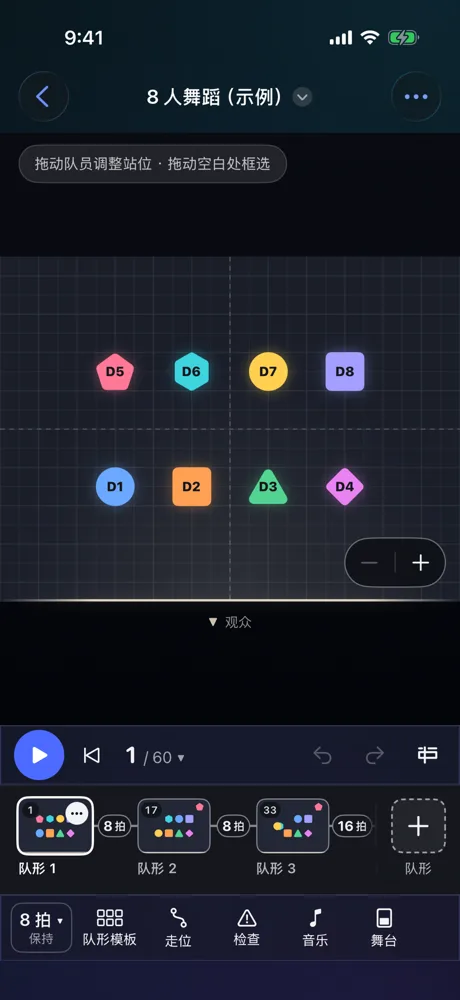
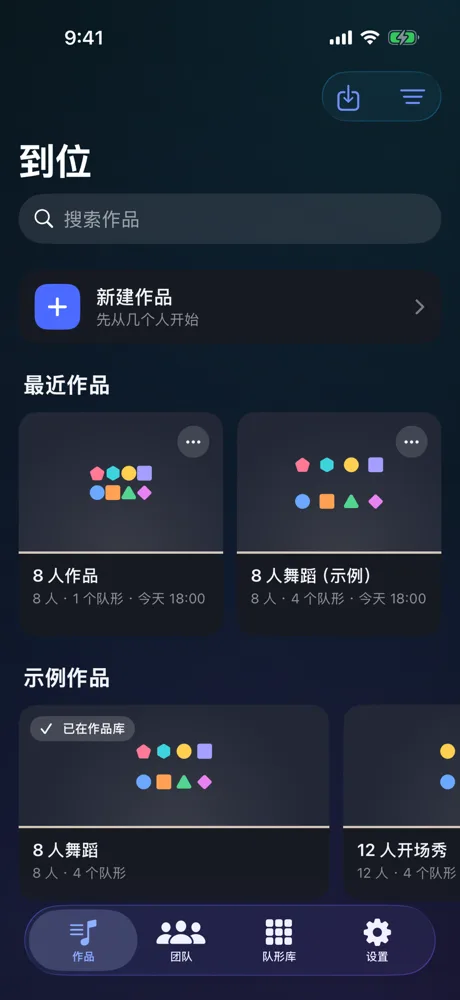
Put your cast on the stage
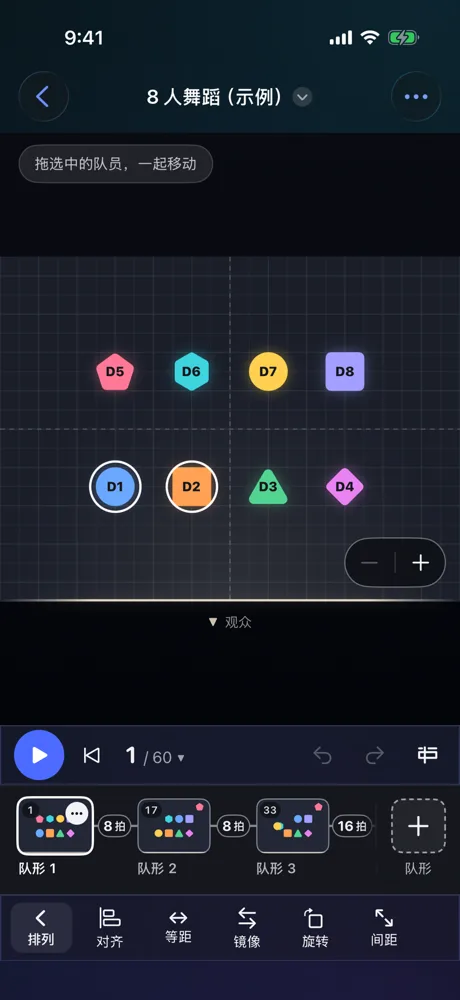
The stage has a grid; each performer is a marker with its own color and shape. Drag to adjust positions or box-select several to move together. A routine is a sequence of formations you add, delete, duplicate and reorder in the formation strip.
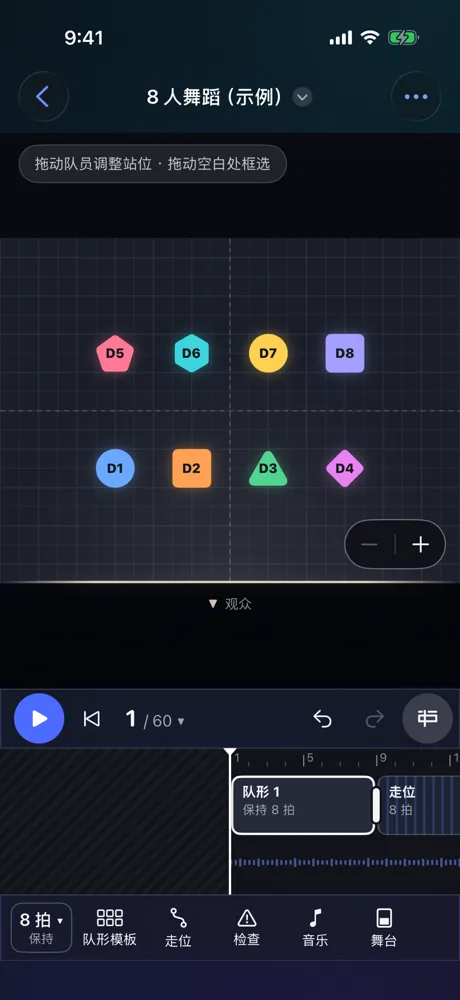
Every move lands on the beat
How long each formation holds and how many beats each move takes are counted in beats. The timeline shows where every move starts and when everyone is in place.
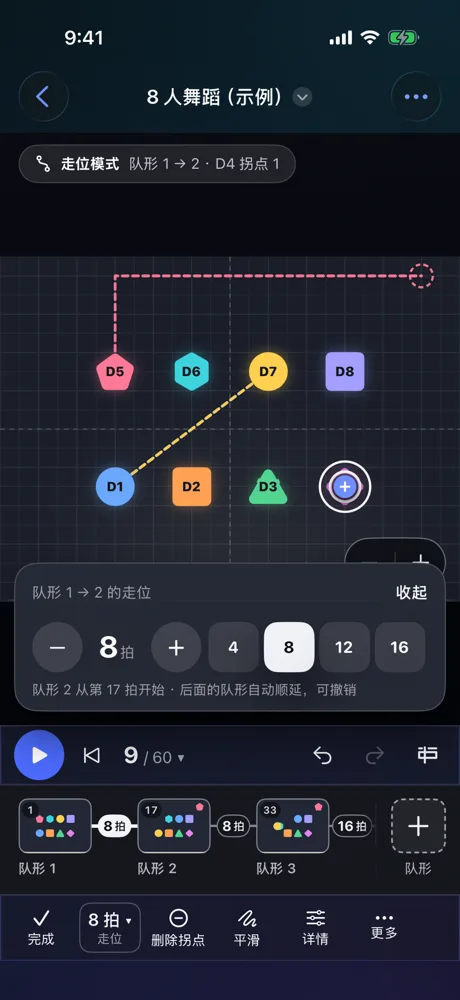
Paths can bend, and pause
Moves go straight by default. To route around someone, drag a bend into the path; add a pause of a few beats at a bend so a performer waits before moving on.
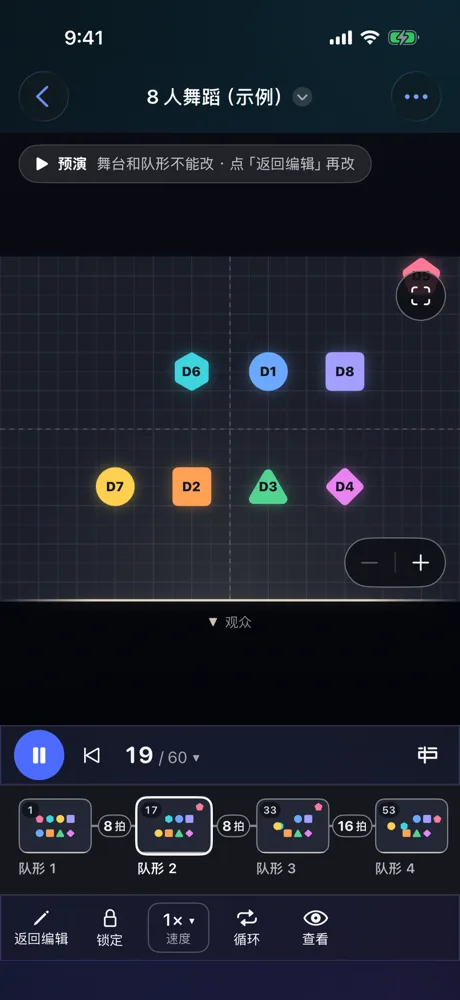
Press play and watch the whole routine
Performers follow their paths to the next formation on the beat. Watch the full picture on the 2D stage, or switch to the 3D preview to see it in depth.
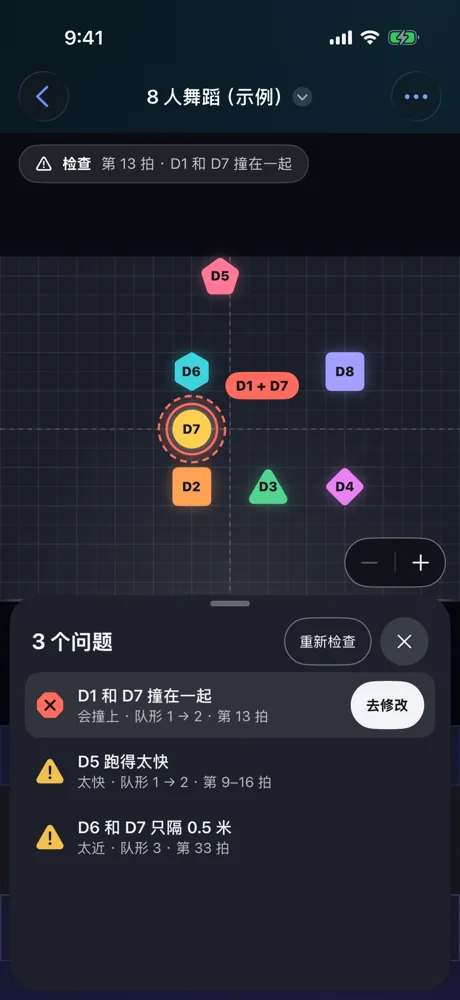
Find the collisions before the stage does
Check automatically finds where performers collide, get too close or move too fast, shows who and on which beat, and suggests a fix. It checks again after every change.
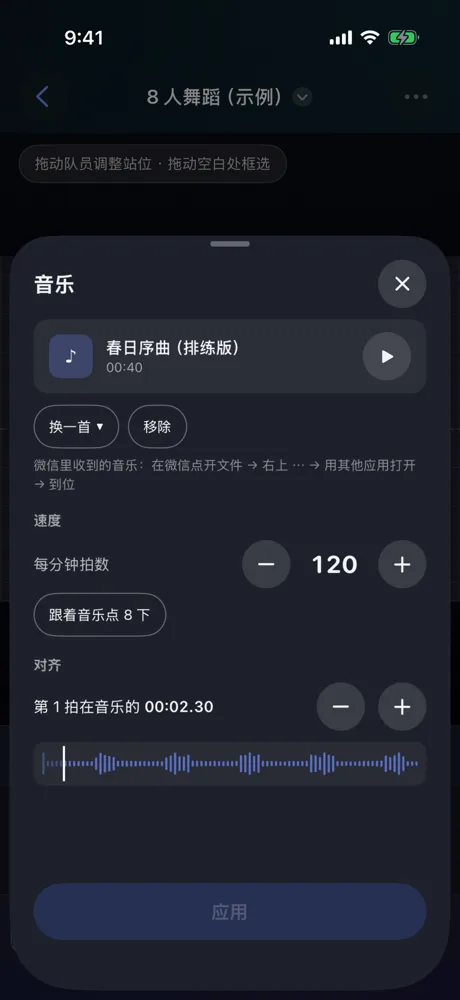
Add reference music, line up beat one
Import rehearsal music from Files or from a video, set the tempo in beats per minute (or tap along to measure it), then drag to align beat 1. Imported music stays on your device.
Done? Send it to the whole cast
Shares are created only when you tap Share and go through the system share sheet to the destination you pick.
-
PDF
Formation pages, with your notes printed on them.
-
Images
Formation pictures, ready for the group chat.
-
Video
The preview as a video, optionally with music.
-
Web rehearsal pack
An offline web page: everything is inside the file, no network needed, view only.
-
Routine file
A .stagepath file to open on another device with StagePath, or keep as a backup.
Your routines stay on your device
No account, no server of ours, and no third-party analytics, advertising or tracking SDK.

Bring the blocking to your next rehearsal.
Some features are part of StagePath Pro, unlocked by subscription or a one-time purchase. See the App Store for details.